🗄️ 文件系统:后厨的储物架🗄️ File System: the Kitchen's Storage Shelves
上一片里,经理把活儿派给了一桌桌订单和服务员。可菜谱、账本放在哪儿?关门后,明天还找得回来吗?这就轮到后厨的储物架:文件系统。Last leaf, the manager handed out work to tables and waiters. But where do the recipes and the ledger live — and can we find them again tomorrow after closing? Enter the kitchen's storage shelves: the file system.
第 1 步:文件装东西,文件夹套格子Step 1: Files hold things, folders nest boxes
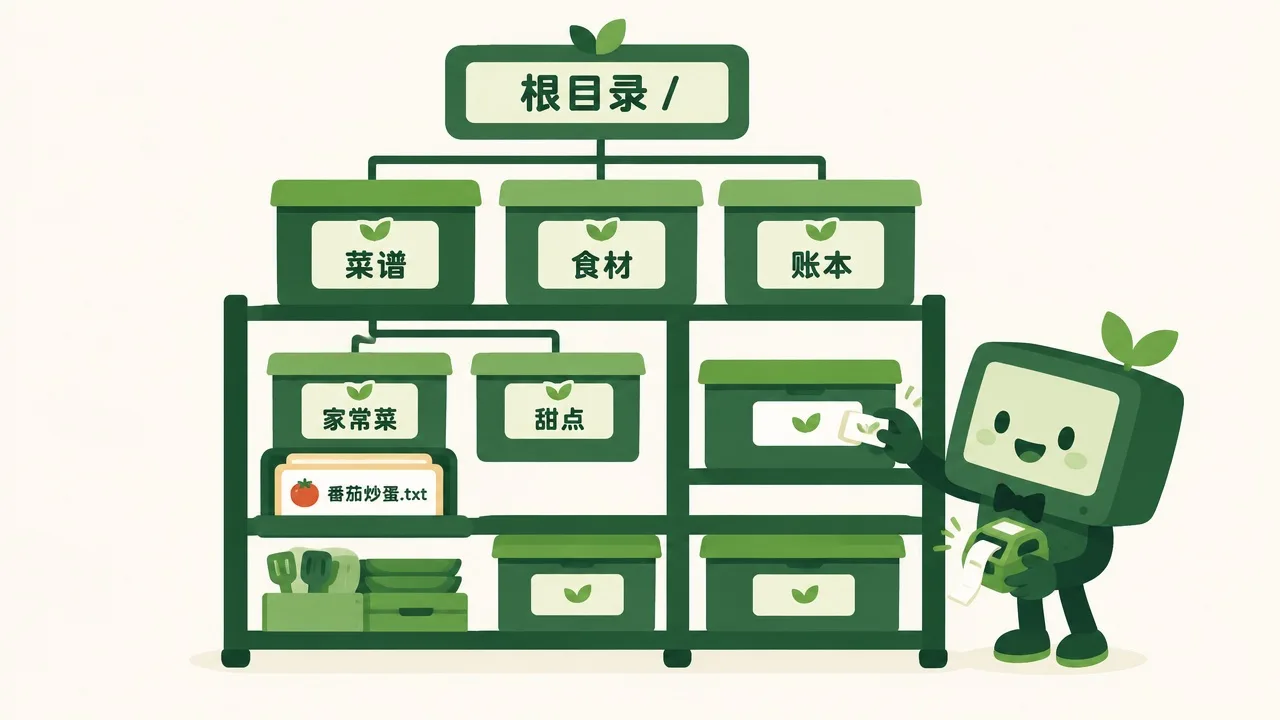
储物间东西一多,经理立下规矩:每样都进带标签的格子。As the storeroom fills up, the manager makes a rule: everything goes in a labelled box.
文件就是一份存好的东西:一张菜谱、一张照片、一首歌。文件夹是带标签的格子,格子里还能套格子。一层层往下分,就长成一棵倒着的树。最顶上那一格,叫根目录。它们都存在硬盘上,关机也不会丢。A file is one saved item: a recipe, a photo, a song. A folder is a labelled box, and boxes can hold boxes. Level by level, they grow into an upside-down tree. The box at the very top is called the root. It all lives on the disk, so nothing is lost when the power goes off.
格子套格子,找东西会不会迷路?Boxes inside boxes — won't you get lost looking for things?
第 2 步:路径是地址,索引记位置Step 2: A path is an address, an index remembers places
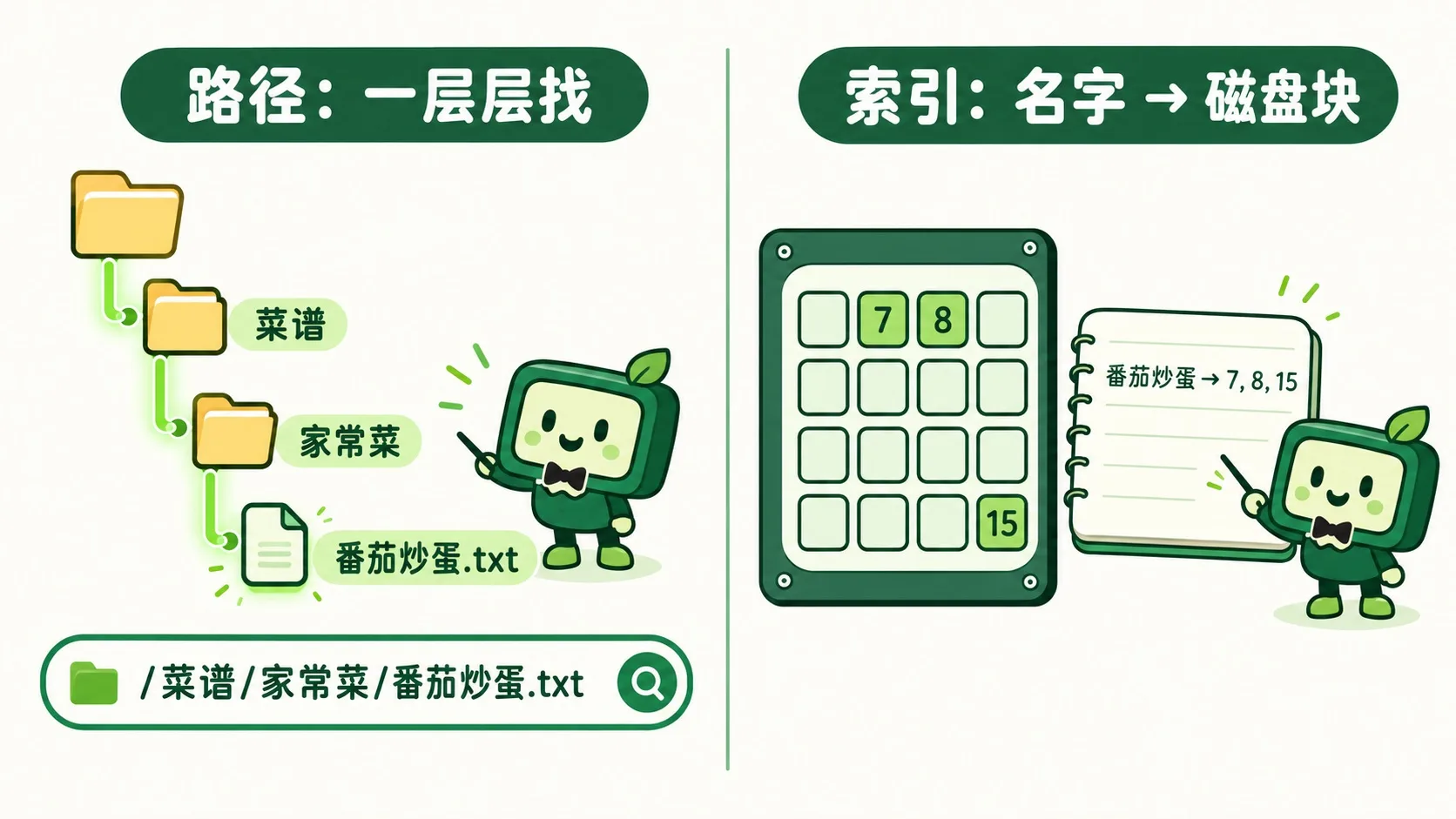
不会,因为每个文件都有地址,叫路径。从根目录出发,一层层写下格子名,用 / 隔开,比如 /菜谱/家常菜/番茄炒蛋.txt。而在硬盘深处,一个文件常被拆成几块,散着放。文件系统记着一本索引:哪个名字对应哪几块。读的时候,再按索引拼回来。No — every file has an address called a path. Start at the root and write each box name, separated by /, like /recipes/home-style/tomato-egg.txt. Deep inside the disk, a file is often split into blocks scattered around. The file system keeps an index of which name maps to which blocks, and stitches them back together when you read the file.
那真的电脑、手机、U 盘,都用同一套规矩吗?So do real computers, phones and USB sticks all follow the same rulebook?
第 3 步:每台设备一套规矩Step 3: Every device has its own rulebook
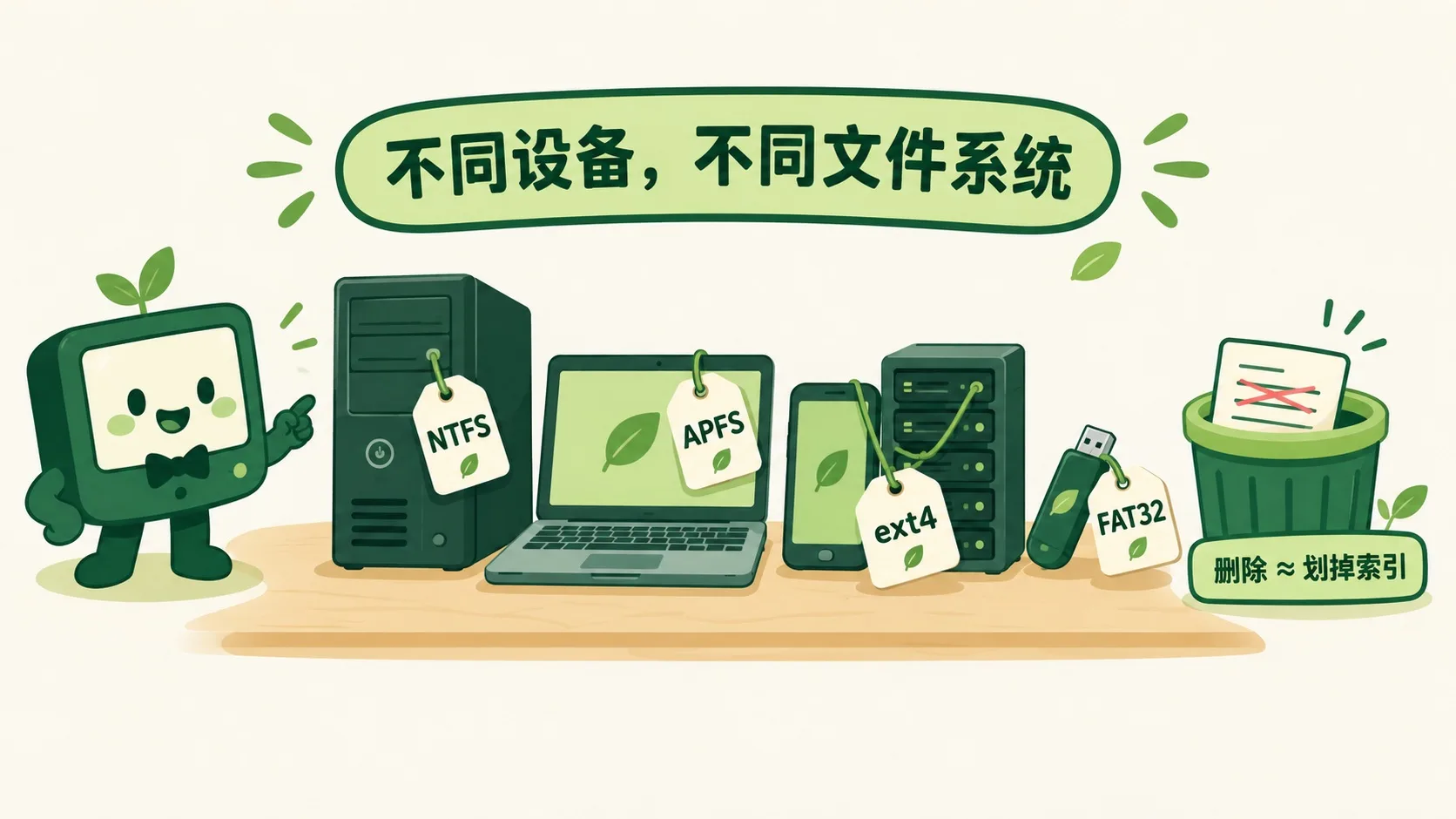
不一定。Windows 电脑多用 NTFS,苹果设备用 APFS,安卓手机和 Linux 服务器常用 ext4。U 盘常用 FAT32,各系统都认,但单个文件不能超过 4GB。删除文件时,系统通常只划掉索引,数据还躺在盘里。所以误删后先别存新东西,有时还能救回来。Not quite. Windows PCs mostly use NTFS, Apple devices use APFS, and Android phones and Linux servers often use ext4. USB sticks often use FAT32 — every system can read it, but a single file can't exceed 4 GB. When you delete a file, the system usually just crosses out its index entry; the data stays on the disk. So after an accidental delete, stop saving new things — sometimes it can still be rescued.
🎮 储物间找路(30 秒)🎮 Your turn: storeroom path finder (30 seconds)
道理讲完了。先把鼠标移到树上,看每一项的路径;再做 4 道题:按地址找文件,把新文件放进对的文件夹。Theory done. Hover over the tree to see each item's path; then do 4 tasks: find files by address, and file new ones in the right folders.
一句话记住它:文件系统 = 电脑的储物架 + 索引本。文件装内容,文件夹一层层套成树,路径是地址,索引把名字对到磁盘块。Remember it in one line: a file system is the computer's shelving plus an index book. Files hold content, folders nest into a tree, a path is an address, and the index maps names to disk blocks.
文件装内容,文件夹套文件夹,最顶层叫根目录Files hold content, folders nest inside folders, and the top is the root路径:从根目录一层层写到文件,用 / 隔开A path runs from the root down to the file, separated by /索引记着名字对应哪些磁盘块;删除常常只是划掉索引The index maps names to disk blocks; deleting often just crosses out the entry
内容参考 OpenStax 等公开教材,多来源核对 · AI 生成、人工审核 · 发现错误欢迎指正,帮这片叶子长得更好。Based on OpenStax and other open textbooks, cross-checked across sources · AI-generated, human-reviewed · Spotted a mistake? Tell us — help this leaf grow.
 Back to tree