🛣️ 主板:电脑城的道路网🛣️ Motherboard: the roads of Computer City
上一片认识了城门。可 CPU、内存、硬盘、城门各住一处,它们怎么说上话?答案是铺满全城的道路网:主板。Last leaf we met the gates. But the CPU, memory, storage and gates all live in different spots — how do they talk? Through the road network that covers the whole city: the motherboard.
第 1 步:主板是城市的地基和马路Step 1: The board is the city's ground and roads
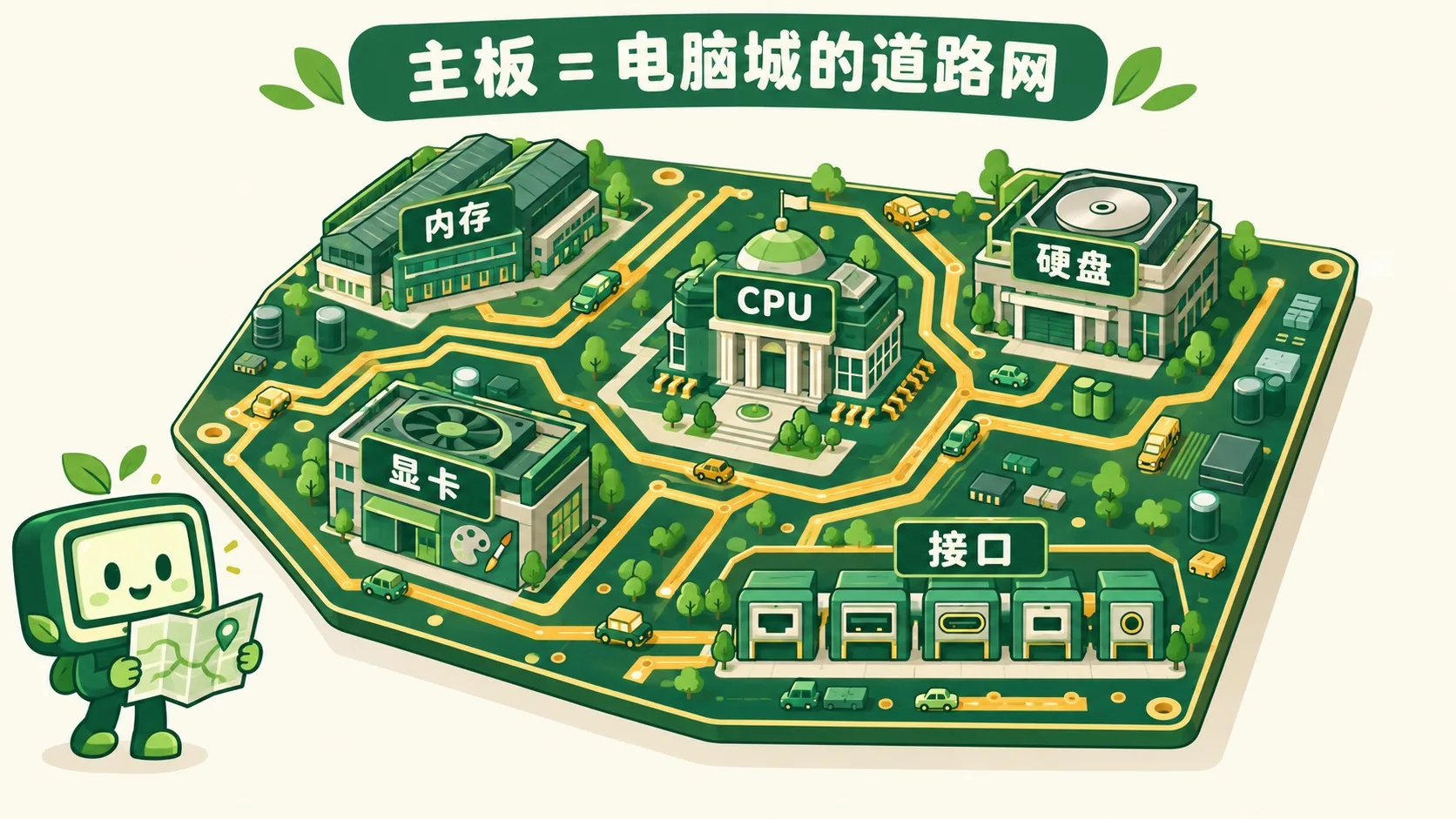
主板是一大块电路板,所有部件都住在上面。The motherboard is one big circuit board, and every part lives on it.
CPU 是市政厅,内存是仓库,硬盘是档案馆,显卡是画室。边上一排接口就是城门。金色细铜线就是马路,把它们连成一座城。The CPU is town hall, memory the warehouse, the hard drive the archive, the graphics card the art studio. The row of ports along the edge are the gates. Thin golden copper lines are the roads that join them into one city.
部件这么多,会不会插错地方?So many parts — could one end up in the wrong place?
第 2 步:每个部件都有专属插槽Step 2: Every part has its own slot
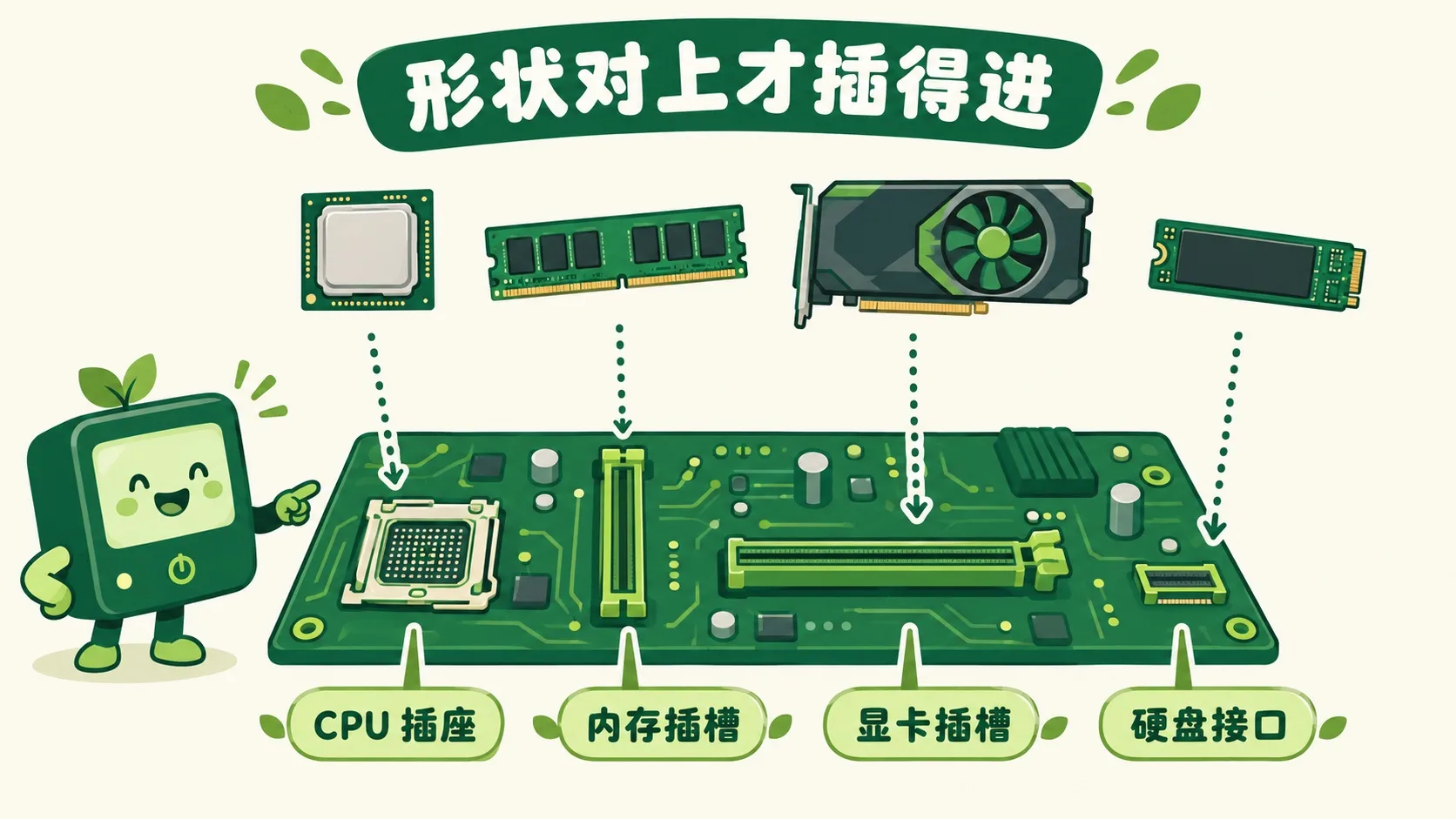
不会。插槽形状各不相同,对上了才插得进。CPU 坐方形插座,内存条插细长槽,显卡插最长的 PCIe 槽,固态硬盘接短短的 M.2 口。No — every slot has its own shape, and only the match fits. The CPU sits in a square socket, memory in a thin long slot, the graphics card in the longest PCIe slot, and an SSD in the short M.2 port.
装好了,数据在马路上怎么跑?Everything's in — so how does data travel the roads?
第 3 步:总线是马路,芯片组管交通Step 3: The bus is the road, the chipset directs traffic
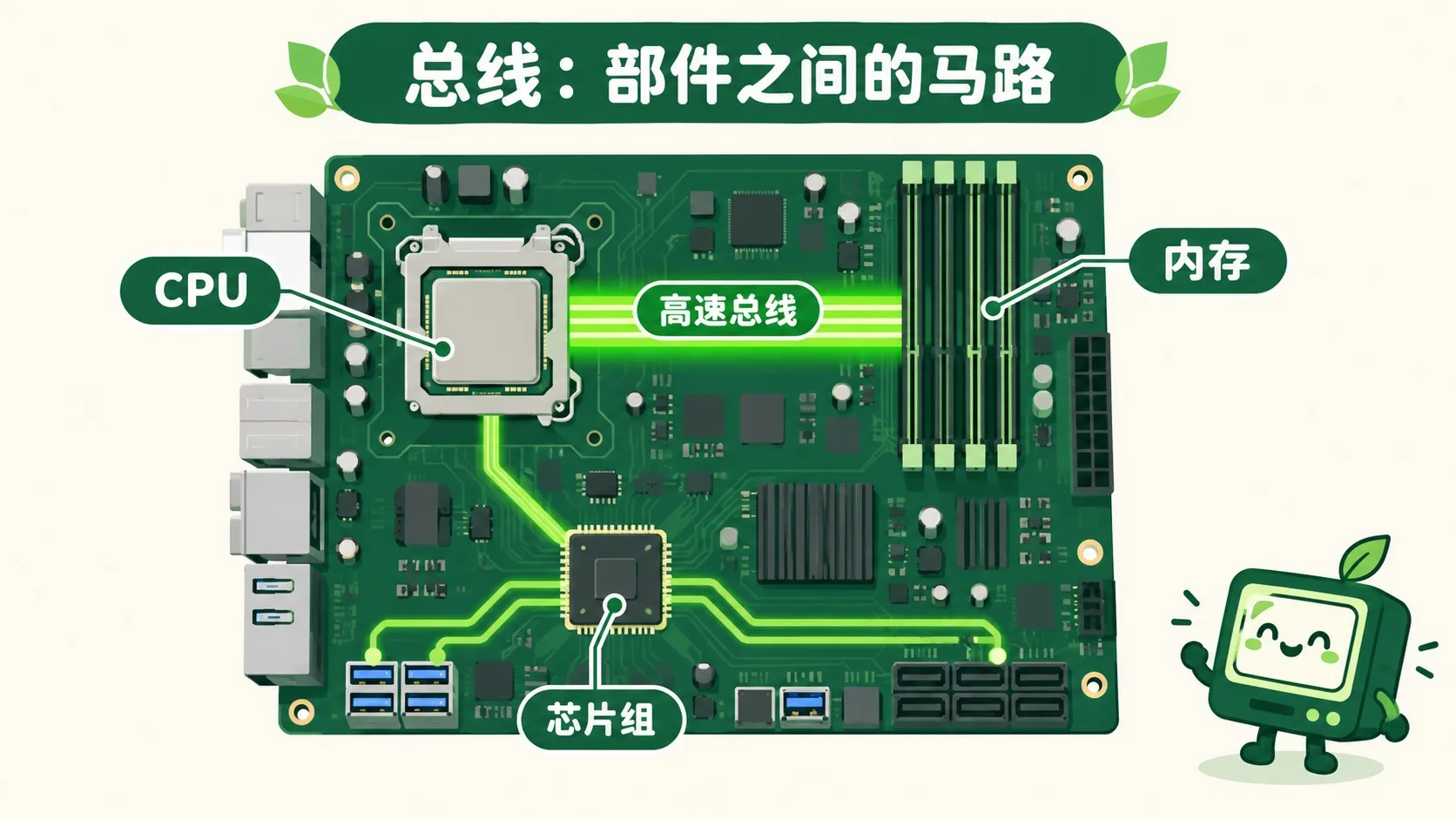
部件之间运数据的马路叫总线。CPU 到内存是最宽最快的高速路。USB、硬盘这些小路,大多归芯片组指挥,它就是交通指挥中心。The roads that carry data between parts are called the bus. CPU to memory is the widest, fastest highway. Side roads like USB and drive ports are mostly run by the chipset — the city's traffic control center.
🎮 装机小能手(30 秒)🎮 Your turn: build-a-PC (30 seconds)
道理讲完了。把 4 个部件装进对的插槽,再按“开机”,看总线一条条亮起来。Theory done. Install 4 parts in the right slots, then hit “power on” and watch the bus light up road by road.
一句话记住它:主板是电脑城的地基和道路网:部件插进专属插槽,总线把数据送来送去。Remember it in one line: the motherboard is Computer City's ground and road network — parts plug into their own slots, and the bus carries data between them.
地基:CPU、内存、硬盘、显卡、接口都住在主板上Ground: CPU, memory, drive, graphics card and ports all live on the board插槽:形状对应,CPU 方座、内存细槽、显卡 PCIe、硬盘 M.2Slots: shapes match — square CPU socket, thin memory slot, PCIe for graphics, M.2 for the SSD马路:总线传数据,CPU↔内存最快,芯片组管小路Roads: the bus carries data; CPU↔memory is fastest, the chipset runs the side roads
内容参考 OpenStax 等公开教材,多来源核对 · AI 生成、人工审核 · 发现错误欢迎指正,帮这片叶子长得更好。Based on OpenStax and other open textbooks, cross-checked across sources · AI-generated, human-reviewed · Spotted a mistake? Tell us — help this leaf grow.
 Back to tree