上一片,小电脑给数据上了锁。可主人开了校园小卖部,订单多到记不住。这一片,给每个数据起个名字。Last leaf, the little computer locked data up. Now its owner opens a campus snack stand, with too many orders to remember. This leaf gives every datum a name.
第 1 步:盒子贴上标签Step 1: A box with a name tag
数据太多记不住,怎么办?Too many values to remember — what helps?
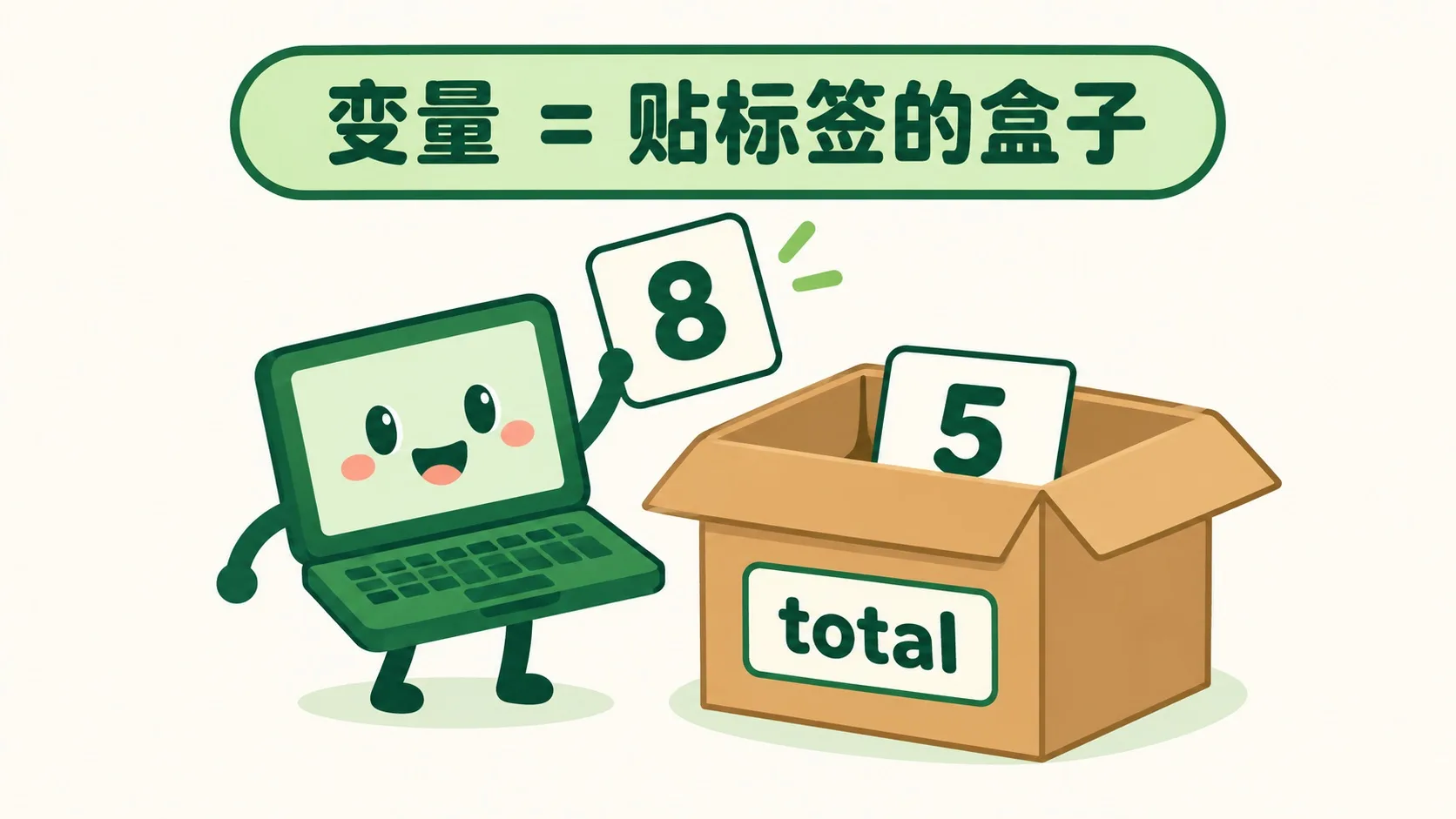
变量就是贴标签的盒子。名字写外面,比如 total。值放里面,比如 5。赋值就是“放进去”:total = 5。喊名字,盒子就张嘴。A variable is a labeled box. The name sits outside, like total. The value sits inside, like 5. Assigning means “put it in”: total = 5. Call the name, the box opens.
放进去的东西,能换吗?Once inside, can the value change?
第 2 步:改值不变名Step 2: New value, same name
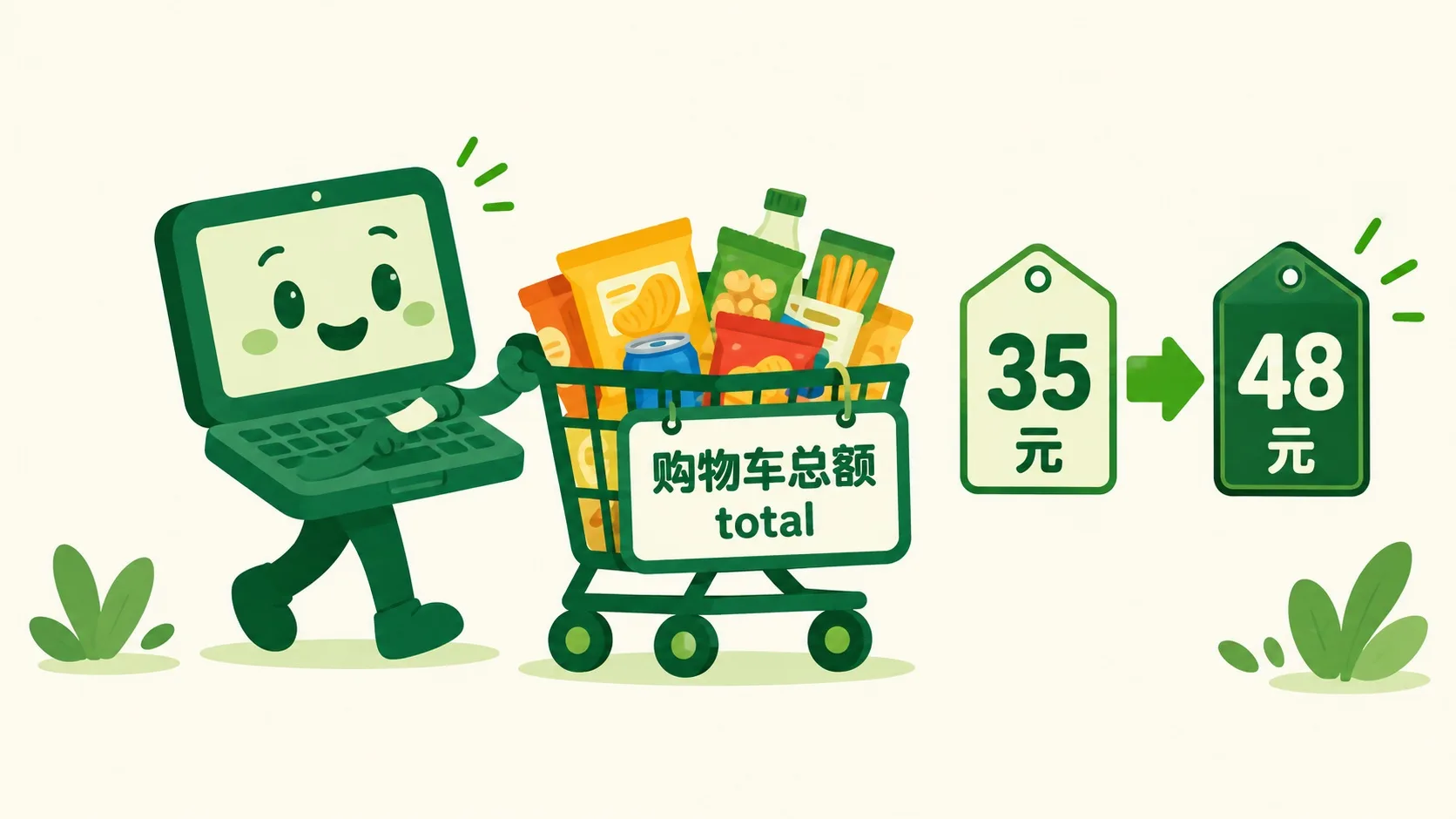
能!购物车总额 total 先是 35。再买两样,变成 48。名字还是 total。程序里处处是变量:分数、余额、步数。Yes! The cart total starts at 35. Two more snacks make it 48. The name total never changes. Code is full of variables: scores, balances, step counts.
盒子里只能装数字吗?Can a box hold only numbers?
第 3 步:三种盒子Step 3: Three kinds of boxes
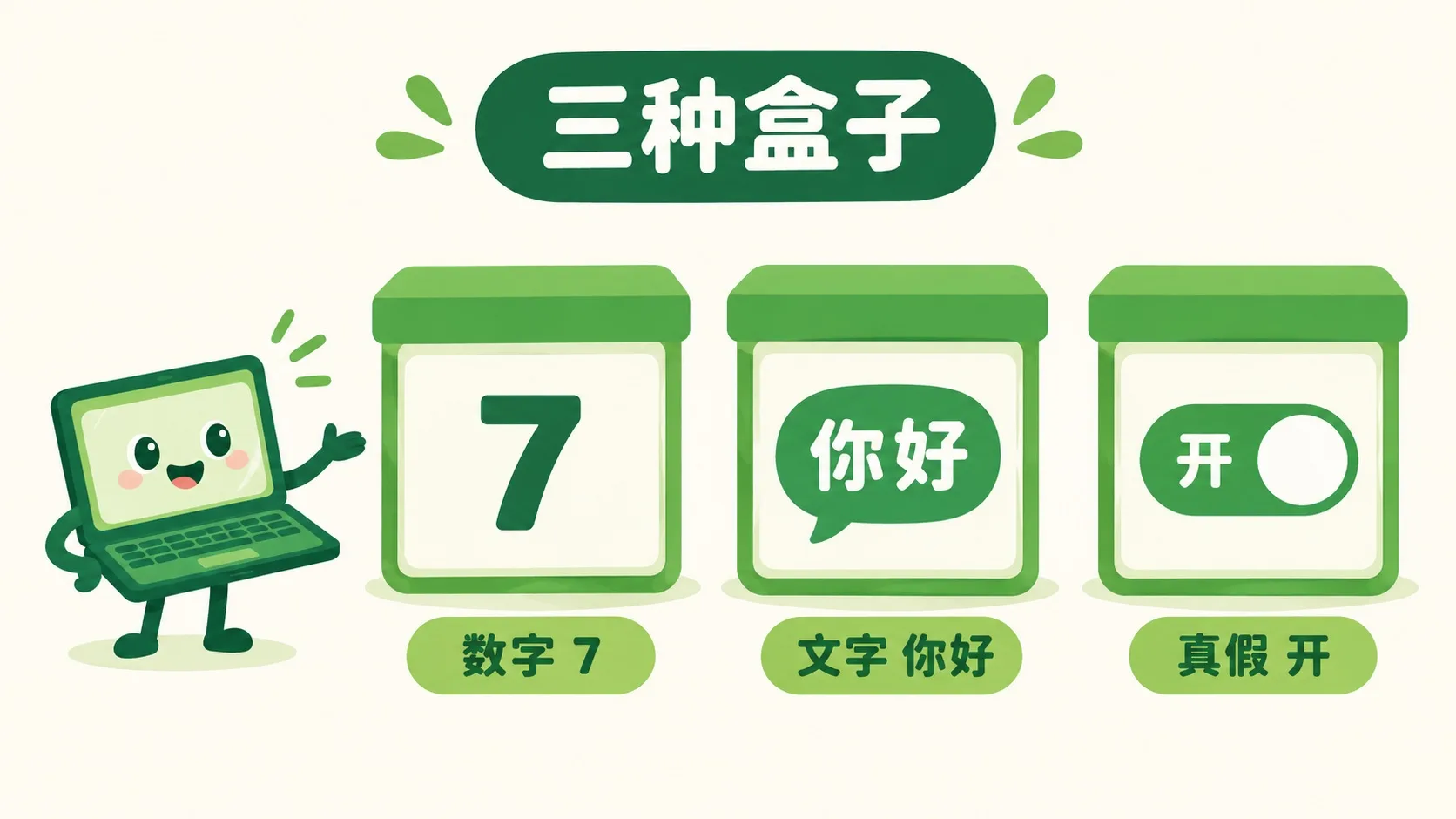
不只!数字盒装 7。文字盒装“你好”。真假盒只装开或关。小电脑按种类干活。装错种类,会闹笑话。Not only numbers! A number box holds 7. A text box holds “hi”. A true/false box holds only on or off. The little computer works by kind. Mix up kinds, and results get silly.
🎮 你来当店长(30 秒)🎮 Your turn: be the shopkeeper (30 seconds)
道理讲完了。先亲手往盒子里放几个值,再接 4 关:猜猜盒子里最后是多少。Theory done. First put a few values in the box yourself, then take 4 rounds: guess what ends up inside.
一句话记住它:变量 = 有名字的数据盒子;赋值是放进去,改值不变名。Remember it in one line: a variable = a named box for data; assigning puts a value in, and the name stays while values change.
赋值就是放进去:total = 5Assigning puts it in: total = 5改值不变名:总额 35 → 48Value changes, name stays: total 35 → 48三种常用盒子:数字 / 文字 / 真假Three everyday boxes: number / text / true-false
内容参考 OpenStax 等公开教材,多来源核对 · AI 生成、人工审核 · 发现错误欢迎指正,帮这片叶子长得更好。Based on OpenStax and other open textbooks, cross-checked across sources · AI-generated, human-reviewed · Spotted a mistake? Tell us — help this leaf grow.
 Back to tree