🕰️ 版本控制:代码的“时光机”🕰️ Version Control: the Time Machine for Code
上一片里,💻小电脑学会按菜谱一步步做事。可做着做着改坏了,怎么办?这一片请出时光机:版本控制。Last leaf, 💻 Little Computer learned to follow a recipe step by step. But what if it breaks things halfway? Meet the time machine: version control.
第 1 步:每次改动拍张照Step 1: Snapshot every change
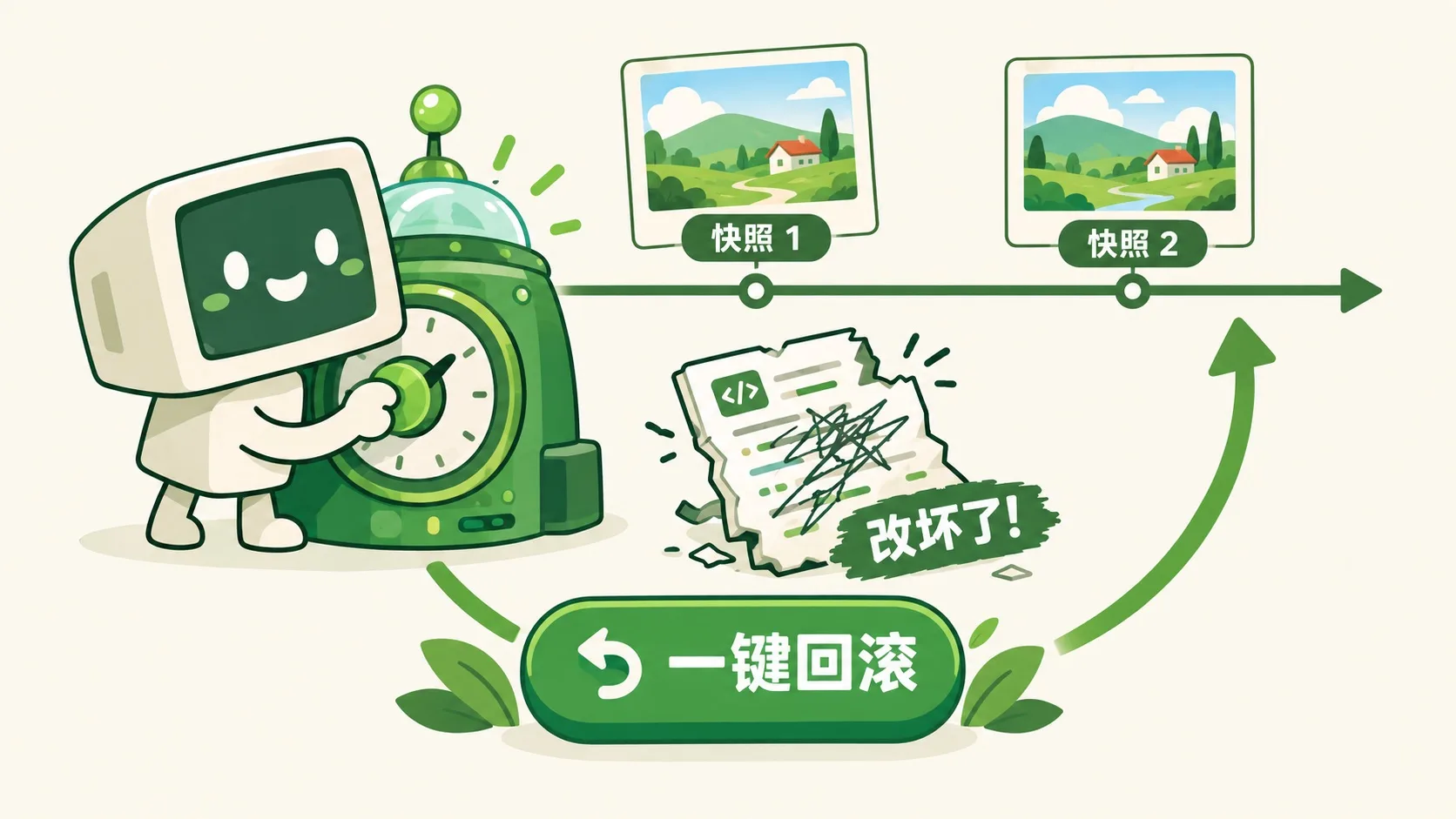
先看时光机长什么样——每次存一个快照。First, what the time machine looks like — one snapshot per save.
小电脑写完作业 v1,咔嚓拍下快照。接着大胆改:改成一团乱码也不怕,点一下一键回滚,嗖地回到快照那一刻。每个快照,都是一颗“后悔药”。Little Computer finishes homework v1 — click, snapshot saved. Now edit boldly: even if it becomes total garbage, one tap on restore zooms back to the snapshot moment. Every snapshot is a regret pill.
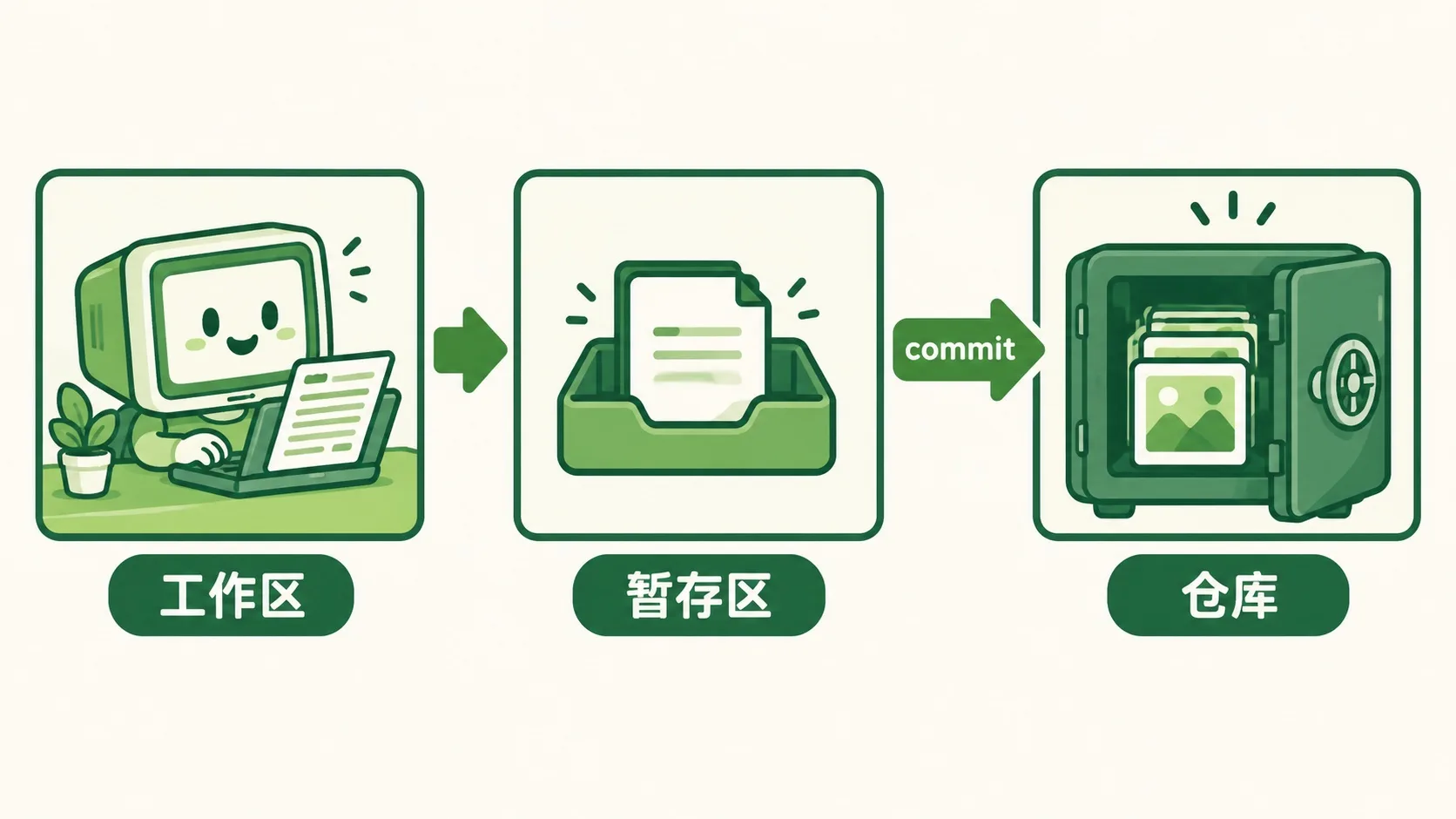
快照存在哪?小电脑有三个盒子,各管各的。Where do snapshots live? The little computer keeps three boxes, each with its own job.
第 2 步:三个盒子Step 2: The three boxes
工作区是书桌,正在改的东西摊一桌。暂存区是托盘,挑出“这次要存的”。仓库是保险柜,一记 commit 锁进去,永久保存。commit 信息要写清改了什么:“改了一下”等于没说。The workspace is the desk — current edits sprawl everywhere. The staging area is the tray — holding what goes into this save. The repository is the safe — one commit locks it in forever. And the commit message must say what changed: “changed stuff” says nothing.
两个人同时改一份作业,不会打起来吗?Two friends editing the same homework at once — won't they collide?
第 3 步:分支与合并Step 3: Branches and merging
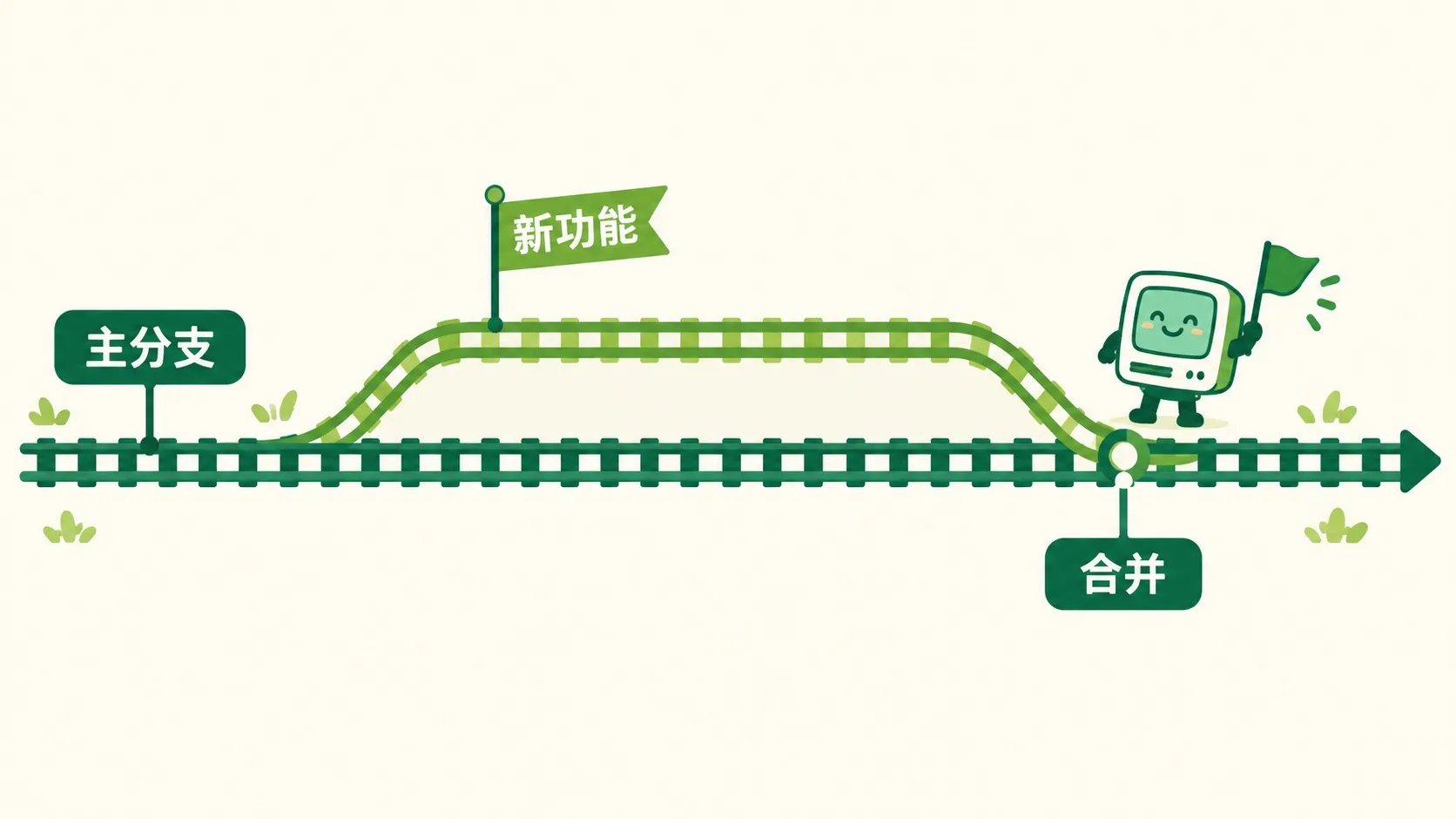
小电脑开一条“新功能”分支自己写,朋友在主分支上写,两边互不干扰。写完一合并,谁的活都没丢。把仓库传到 GitHub 上,全世界都能一起来写。Little Computer opens a “new feature” branch to write alone; its friend writes on the main branch — neither disturbs the other. Merge when done, nobody's work is lost. Push the repository to GitHub and the whole world can write together.
🎮 你来开时光机(30 秒)🎮 Your turn: drive the time machine (30 seconds)
道理讲完了。4 关带小电脑穿越一次:排操作顺序 → 拍快照改坏再回滚 → 挑好信息 → 合分支。Theory done. Time-travel 4 rounds with the little computer: order the moves → snapshot, break, restore → pick the good message → merge branches.
一句话记住它:版本控制 = 给每次改动拍快照,随时一键回滚。Remember it in one line: version control snapshots every change — restore any moment in one tap.
快照存下过去:改坏不怕,一键回到快照那一刻Snapshots save the past: break things fearlessly, one tap back三区:工作区 → 暂存区 → 仓库;commit 写清改了什么Three boxes: workspace → staging → repository; commits say what changed分支让多人并行不打架;传到 GitHub,全世界一起写Branches let many work in parallel; push to GitHub, the world joins in
内容参考 OpenStax 等公开教材,多来源核对 · AI 生成、人工审核 · 发现错误欢迎指正,帮这片叶子长得更好。Based on OpenStax and other open textbooks, cross-checked across sources · AI-generated, human-reviewed · Spotted a mistake? Tell us — help this leaf grow.
 Back to tree