上一篇的网页要当面打开看。可 💻 小电脑想给朋友留句话,不用等人在线——这就请出互联网最早的杀手级应用:电子邮件。Last leaf, pages had to be opened face to face. But 💻 Little Computer wants to leave a friend a note without waiting for them to come online — meet the Internet's first killer app: email.
第 1 步:一封信的四站旅行Step 1: A letter's four-stop trip
信写好了,它怎么到朋友手里?跟它走一趟就懂了。Letter written — how does it reach the friend? Walk with it once and you'll know.
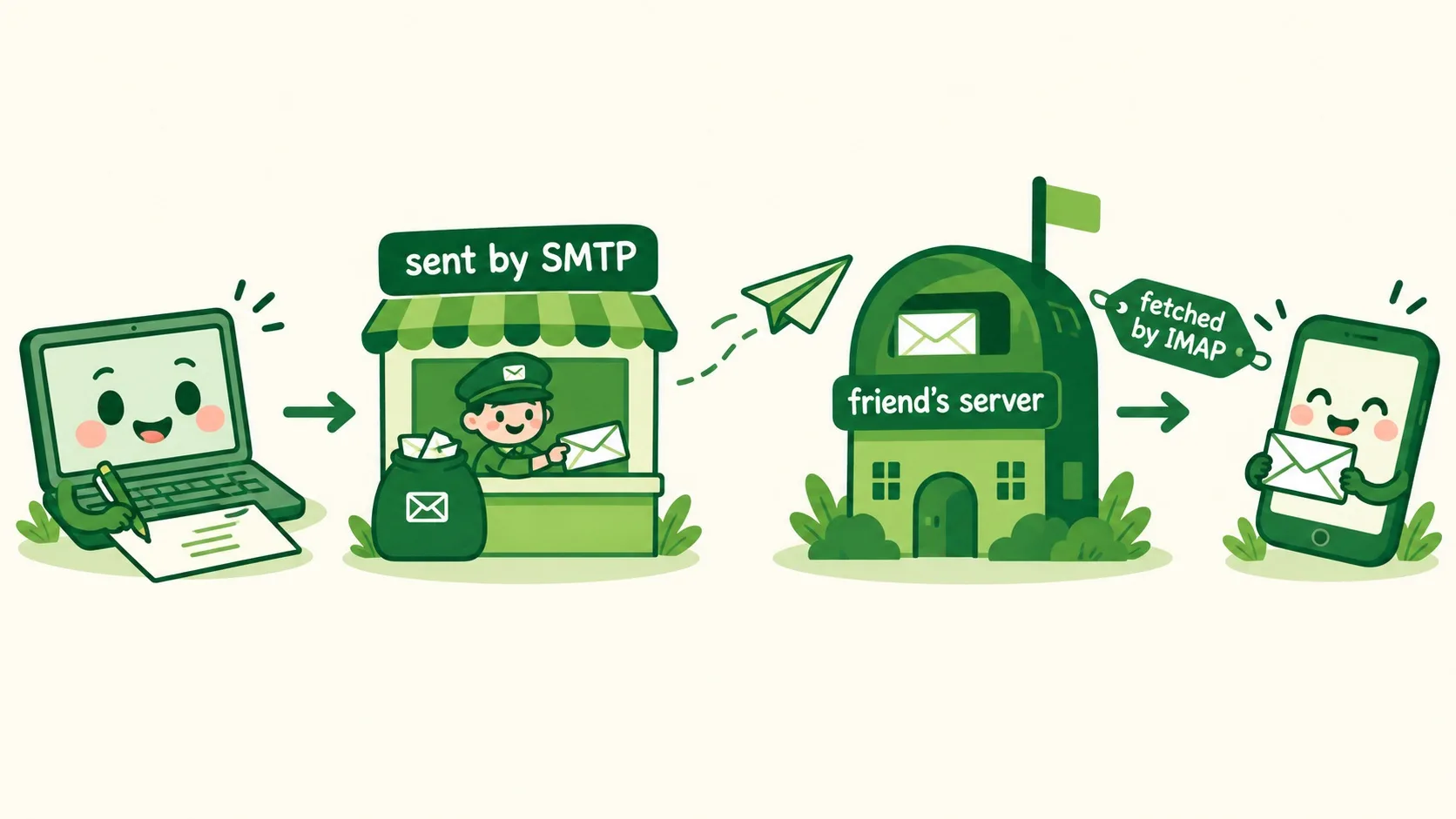
按下发送,信先交给 SMTP 发件邮局寄出。它飞到对方的服务器上住下。朋友再用 IMAP 或 POP3 把信取出来。全程只要几秒,比蜗牛邮局快得多。Hit send, and the letter goes to the SMTP post office first. It flies over and rests on the friend's server. Then the friend fetches it with IMAP or POP3. The whole trip takes seconds — far faster than snail mail.
信从没送错家,因为地址写得很明白。Letters never get lost, because the address spells everything out.
第 2 步:地址一半是你,一半是邮局Step 2: Half you, half post office
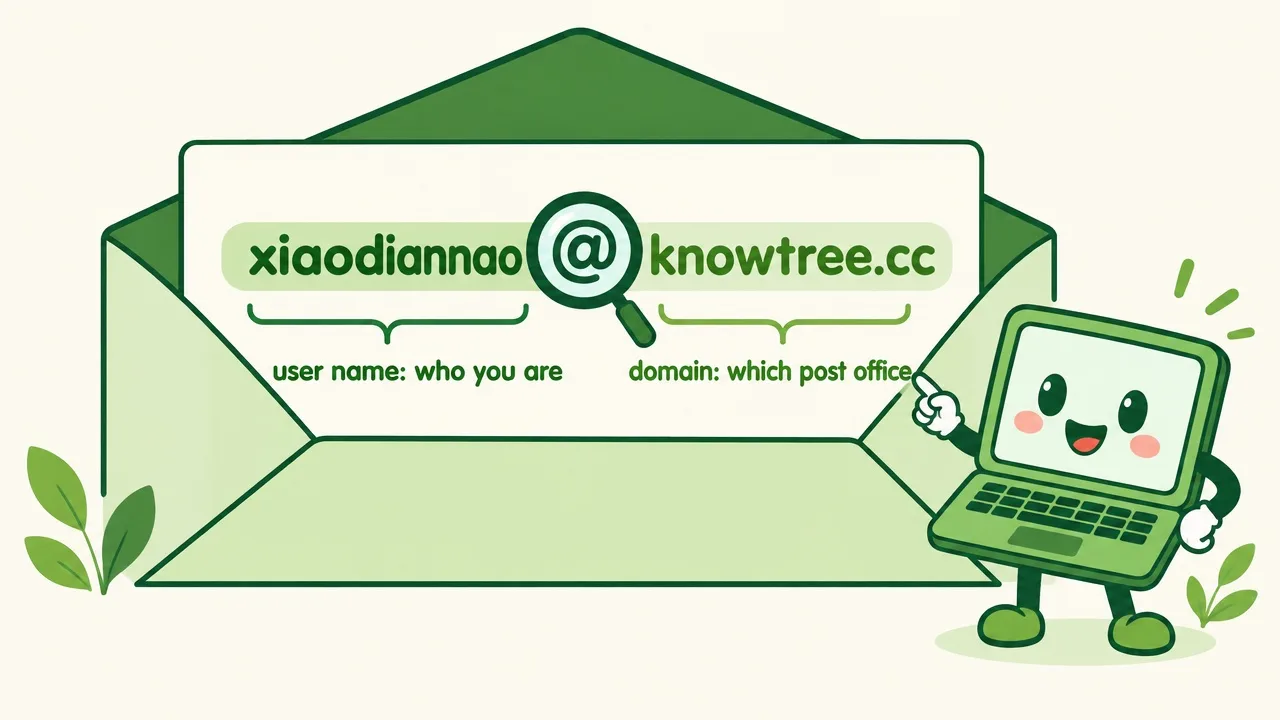
xiaodiannao@knowtree.cc 里,@ 前是用户名,代表你是谁。@ 后是域名,代表哪家邮局。@ 读作 at,就是"在"的意思:某人,在某邮局。In xiaodiannao@knowtree.cc, the part before @ is the user name — who you are. After @ comes the domain — which post office. Read @ as "at": somebody, at some post office.
邮局虽好,也有冒充邮递员的骗子,叫钓鱼邮件。The post office is handy — but impostors stalk it. They're called phishing mails.
第 3 步:小心假邮递员Step 3: Beware the fake carriers
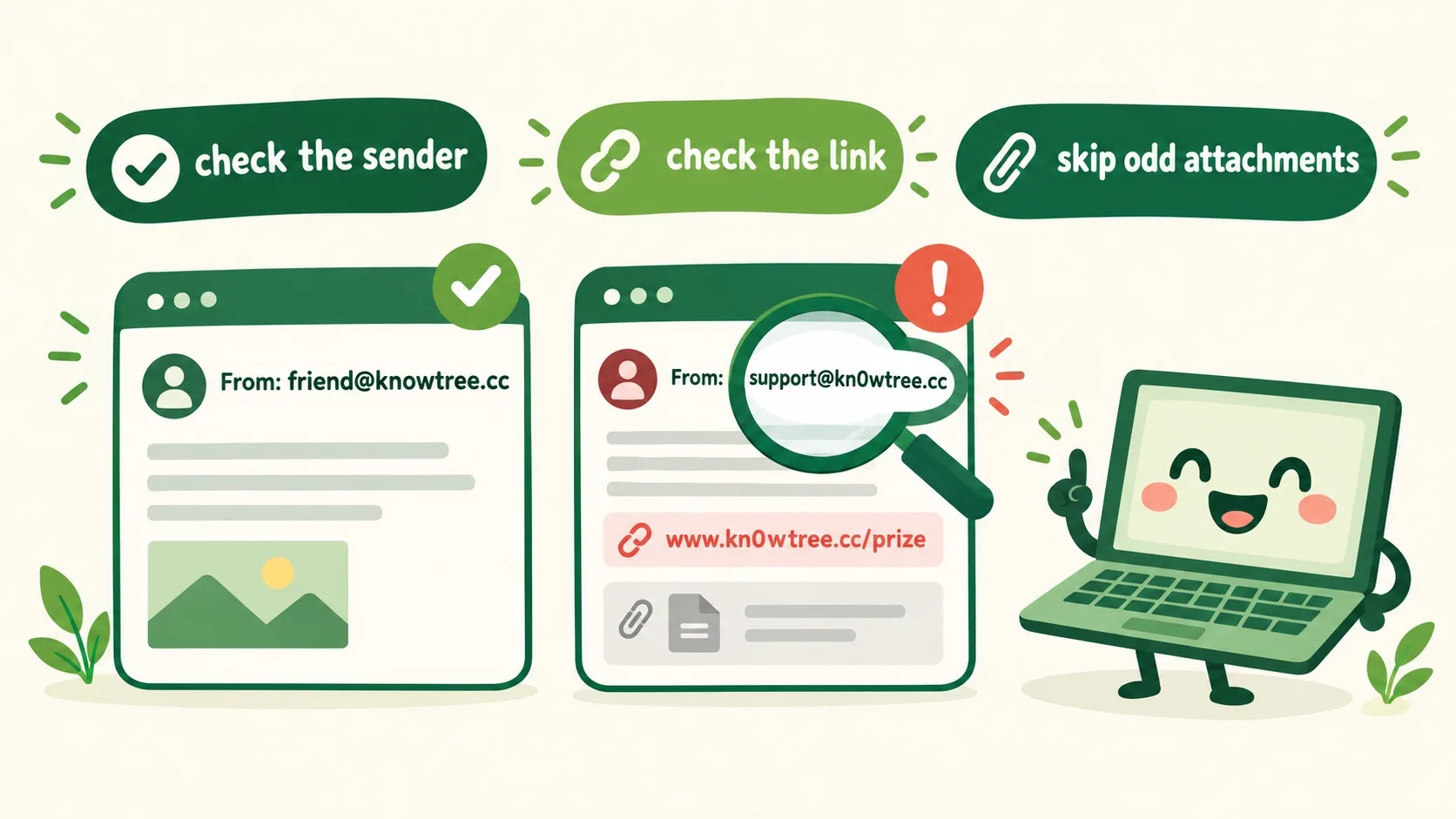
看发件人:kn0wtree 里可能是数字 0 冒充字母 o。看链接:中奖、催你快点,先核对再点。可疑附件直接删,大附件(超 25MB)本来也发不出去。Check the sender: kn0wtree may hide a digit 0 pretending to be the letter o. Check the link: prizes and rush-you notes get verified before any click. Delete odd attachments outright — and huge ones (over 25MB) can't even be sent.
🎮 陪信走完全程(30 秒)🎮 Walk the whole way (30 seconds)
道理讲完了。先排好信的旅行路线,再练火眼金睛,认出路上的钓鱼陷阱。Theory done. Line up the letter's route first — then sharpen your eyes and spot the phishing traps.
一句话记住它:邮件 = 网上留言条;寄走靠 SMTP,取信靠 IMAP;看发件人、看链接,附件可疑就删掉。Remember it in one line: email = notes on the Internet; SMTP sends, IMAP fetches; check the sender, check the link, delete odd attachments.
旅程四站:写好 → SMTP 寄出 → 对方服务器 → IMAP 取出Four stops: write → SMTP sends → friend's server → IMAP fetches地址两半:@ 前用户名(你是谁)/ @ 后域名(哪家邮局)Two address halves: user name before @ (who) / domain after @ (which post office)防钓鱼:看发件人、看链接、可疑附件删;附件一般限 25MBAnti-phishing: check sender, check link, delete odd attachments; attachments capped around 25MB
内容参考 OpenStax 等公开教材,多来源核对 · AI 生成、人工审核 · 发现错误欢迎指正,帮这片叶子长得更好。Based on OpenStax and other open textbooks, cross-checked across sources · AI-generated, human-reviewed · Spotted a mistake? Tell us — help this leaf grow.
 Back to tree